Here at Data Recovery Perth we have been using DFL Firmware Repair tools for approx 2 years now and I have found this tool essential in the repair of hard drive firmware and data recovery in general for Seagate, Western Digital, Samsung and Hitachi drives. My goal in this discussion is to give an overview of the tool without delving deeply in the use of the tool for any specific drive , I will in later posts give a more detailed discussion of how the tool is used in data recovery for specific drives.
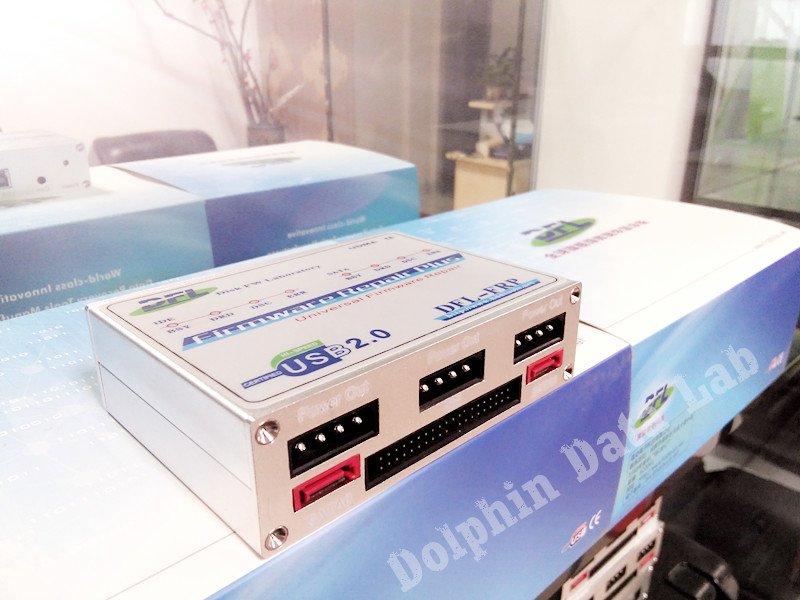
Previously I had used Salvation Data firmware repair tools and you were required to buy both the software and hardware for each drive type. With the DDL FRT you buy just one box and can purchase the software packages for each drive type separately. This helps facilitates on site recovery which can occur from time to time.
So why is it essential for Data Recovery;
- To repair firmware after it becomes damaged, see https://www.datarecoveryperth.net.au/firmware-corruption.php for a detailed explanation.
- To Flash the ROM BIOS when there is a need to replace the drive’s electronics.
- It is also essential in the diagnosis of drives as you can determine the health of the drives firmware , heads and the drives magnetic surface.
Having used other firmware repair tools the DFL FRT is reasonably priced at approx $1,000 per module (each module represents a drive type eg WD, Seagate etc) and the support is excellent both for it’s online forum which provide excellent information and repair tips , additionally you can book a support rep to login and help diagnose your problem live.
Common Functions
- Start and initialise the Drive
- Read the drives ROM and Firmware
- Perform a Deep Test of the ROM
- Test the System Area
- Recreate the drives Translator Table
- Edit the Drives P-List, G-List
- Edit the Drives SMART Values
- Scan the drives surface for errors
Hard Drive Diagnosis using DFL Tools
- Clicking and Undetected Drives
- Saving ROM and Firmware Modules
- Heads Test
- Scanning Magnetic Surface
- Weak Head
- Bad Blocks – power surge
- All Blocks corrupt firmware or Read Ahead Cache.